Free browser game · No download
Dreamland Survivors
- Survivor
- Roguelike
- Pixel Art
- Auto Attack
Play Other Games
See all hot games →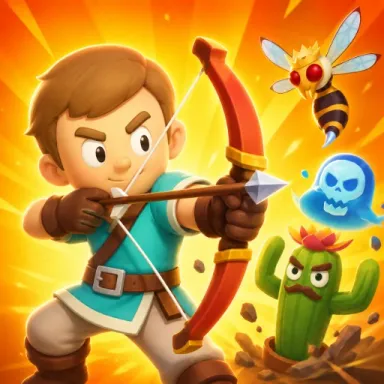



About Dreamland Survivors
What is Dreamland Survivors?
Dreamland Survivors is a free pixel-art survivor roguelike that runs in your browser. You steer one hero across an open map while your weapons attack on their own, and endless monster hordes close in from every side. Each Dreamland Survivors run is a build you put together as you level up, and the run ends when your health runs out or you push through to the next land.
How a Dreamland Survivors run works
A Dreamland Survivors run starts in a grassy field with a single weapon in your first slot and a timer counting up from 00:00. Enemies drop blue experience gems. Pick them up and the level bar fills; at each new level the game pauses and deals three cards. The cards are new weapons, upgrades for weapons you already carry, or tomes that raise stats for everything. In our first run the level 2 cards were Bow, Orbit Axes and Aura.
Reroll, banish and the boss at 10:00
Two buttons sit under the cards in Dreamland Survivors. Reroll deals three new cards, and Banish removes one card from the current run for good; you start with one use of each. According to the game's listing, a boss arrives when the timer reaches 10:00. Beat it and its portal carries your whole build into the next land, from the Dreamland Plains to the Frostlands and the Forgotten Crypt.
Dreamland Survivors controls
Move with WASD or the arrow keys, and dash with Space or Shift to slip out of a crowd. Choose a level-up card with the mouse or the 1, 2 and 3 keys. Press E to open chests and enter portals, M to see the map, and Esc or P to pause. The game's own instructions also list a left gamepad stick and touch controls: drag anywhere to move and tap the DASH button.
Tips for Dreamland Survivors
Keep moving in wide loops so the horde trails behind you instead of surrounding you, and save the dash for the moment you get boxed in. Early in a Dreamland Survivors run, take a second weapon that covers a different direction, such as Orbit Axes next to a forward attack. Spend your single Banish on a card you never want, so it stops showing up in later level-ups.
Unlocks between runs
Dreamland Survivors pays out Silver at the end of every run. The game's listing says Silver unlocks new heroes, weapons and items, plus permanent upgrades, so a run that ends early still moves you forward. If you already play Azeroth Survivors on this site, Dreamland Survivors uses the same move-and-survive loop with a pixel fantasy look and its own set of weapons.
FAQ
Dreamland Survivors FAQ
Is Dreamland Survivors free to play?
Yes. Dreamland Survivors is free and runs in your browser on this page, with no download and no account. The game is distributed by GameDistribution, so an ad can play before the game starts.
What are the controls in Dreamland Survivors?
Move with WASD or the arrow keys and dash with Space or Shift. Weapons attack automatically. Pick upgrade cards with the mouse or the 1 to 3 keys, press E for chests and portals, M for the map, and Esc or P to pause.
Do I need to aim or attack in Dreamland Survivors?
No. In Dreamland Survivors every weapon fires on its own. Your jobs are moving, dashing out of trouble and choosing which card to take at each level-up.
What do Reroll and Banish do in Dreamland Survivors?
Reroll swaps the three level-up cards for a new set. Banish removes one card from the current Dreamland Survivors run for good. A run starts with one use of each, shown on the buttons under the cards.
When does the boss appear in Dreamland Survivors?
The game's listing says the boss arrives when the timer reaches 10:00. Defeat it and step through its portal to carry your build into the next land.
Can I play Dreamland Survivors on a phone?
The game's own instructions include touch controls: drag anywhere to move and tap the DASH button. We tested Dreamland Survivors in a desktop browser, where it plays with a keyboard.
Why does the Dreamland Survivors window stay blank?
The game loads from GameDistribution's servers, and the first load can take several seconds after an ad. An ad blocker or a strict network filter can stop it from loading, so try refreshing or another network.